
The digital season ticket is a digital card that allows you to access all matches of the season. It is automatically issued when you purchase a season ticket and replaces individual match tickets.
The digital season ticket only needs to be downloaded once, at the beginning of the season.
The card is then saved directly to your phone’s wallet. Once added, it remains valid for all matches included in your season ticket.
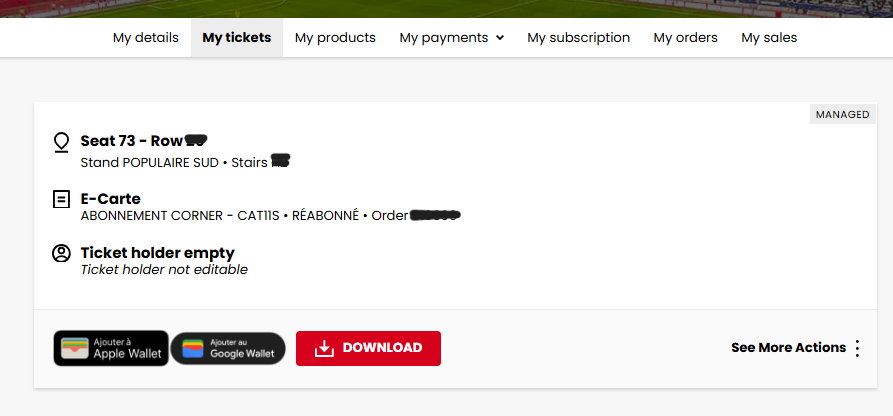
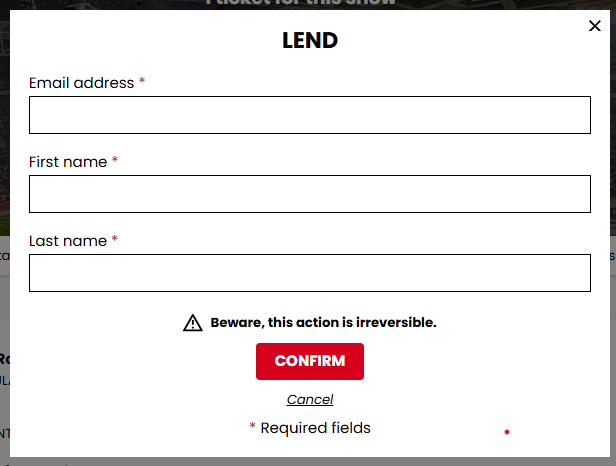
You can lend your season ticket for a specific match using the digital card.
To do so, follow these steps:
An e-ticket will be sent to the beneficiary, and your digital season ticket will be automatically deactivated for that match.
An error has occurred
Our platform is currently experiencing a trouble, we apologize for the inconvenience caused and invite you to come back later.